News
News
Image Mosaic is now available
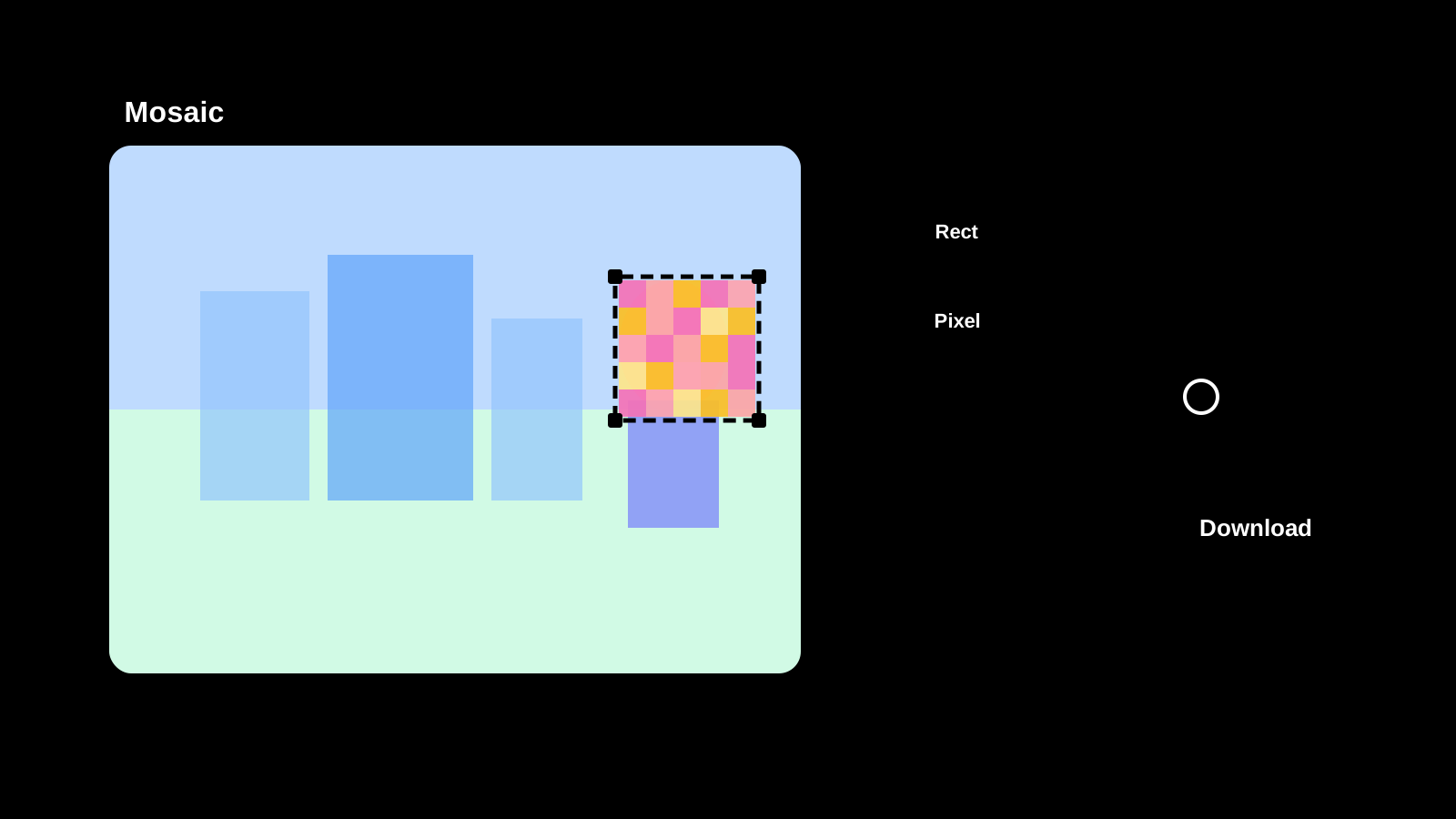
We added an Image Mosaic tool so you can hide faces, personal information, or other sensitive areas in images without uploading files to any server.
Choose from pixel, blur, and fill mosaic styles. Select rectangular, circular, or rounded shapes for each area. Multiple areas can be combined in a single pass. Open the Image Mosaic tool or view the how-to page to get started.
Common uses
- Hide faces or names before posting to social media
- Mask personal information in screenshots before sharing
- Cover parts of a document before distributing it
More news
Text Diff Checker is now available
Compare two texts side by side and highlight differences. Supports character, word, and line comparison to quickly spot additions, deletions, and changes.
Image Compression is now available
Compress JPEG, PNG, WebP, AVIF, SVG, and GIF in the original format, compare size changes, and save the results.
Password Generator is now available
Create strong password candidates for account signup or temporary access while configuring length, character groups, minimum counts, and excluded characters.
QR Code Generator Is Now Available
We released a QR code generator that creates QR codes from URLs or text, lets you adjust size, margins, colors, and transparency, and saves the result as PNG or SVG.